



Leonardo AI complete guide
Leonardo AI is a generative art platform designed for users who want more control, consistency, and production-ready results from AI image generation. It is widely used for concept art, game assets, textures, illustrations, and stylized visuals, but it also appeals to beginners who want high-quality images without deep technical knowledge.
This guide explains how Leonardo AI works, what makes it different from other AI art tools, and how to use it effectively, starting from basic concepts and moving toward more advanced workflows.
What Leonardo AI is and why it matters
Leonardo AI is built around fine-tuned diffusion models that emphasize visual coherence, style control, and repeatability. Unlike general-purpose AI image generators that prioritize speed or novelty, Leonardo AI focuses on creators who need consistent outputs across multiple images.
This makes it particularly useful for:
- Game developers creating characters, props, and environments
- Designers producing concept art and visual prototypes
- Content creators who need a recognizable visual style
- Artists exploring AI-assisted workflows without losing creative direction
The platform runs entirely in the browser, removing the need for local hardware, model downloads, or technical setup.
How Leonardo AI generates images
At its core, Leonardo AI uses diffusion models trained on curated datasets. A text prompt guides the model, which progressively refines random noise into a coherent image. What distinguishes Leonardo AI is how much control it gives over that refinement process.
Key generation components include:
- Text prompts describing content, style, and mood
- Optional negative prompts to exclude unwanted elements
- Model selection to define the visual character of the output
- Parameters such as guidance scale, steps, and resolution
These elements work together to balance creativity with predictability.
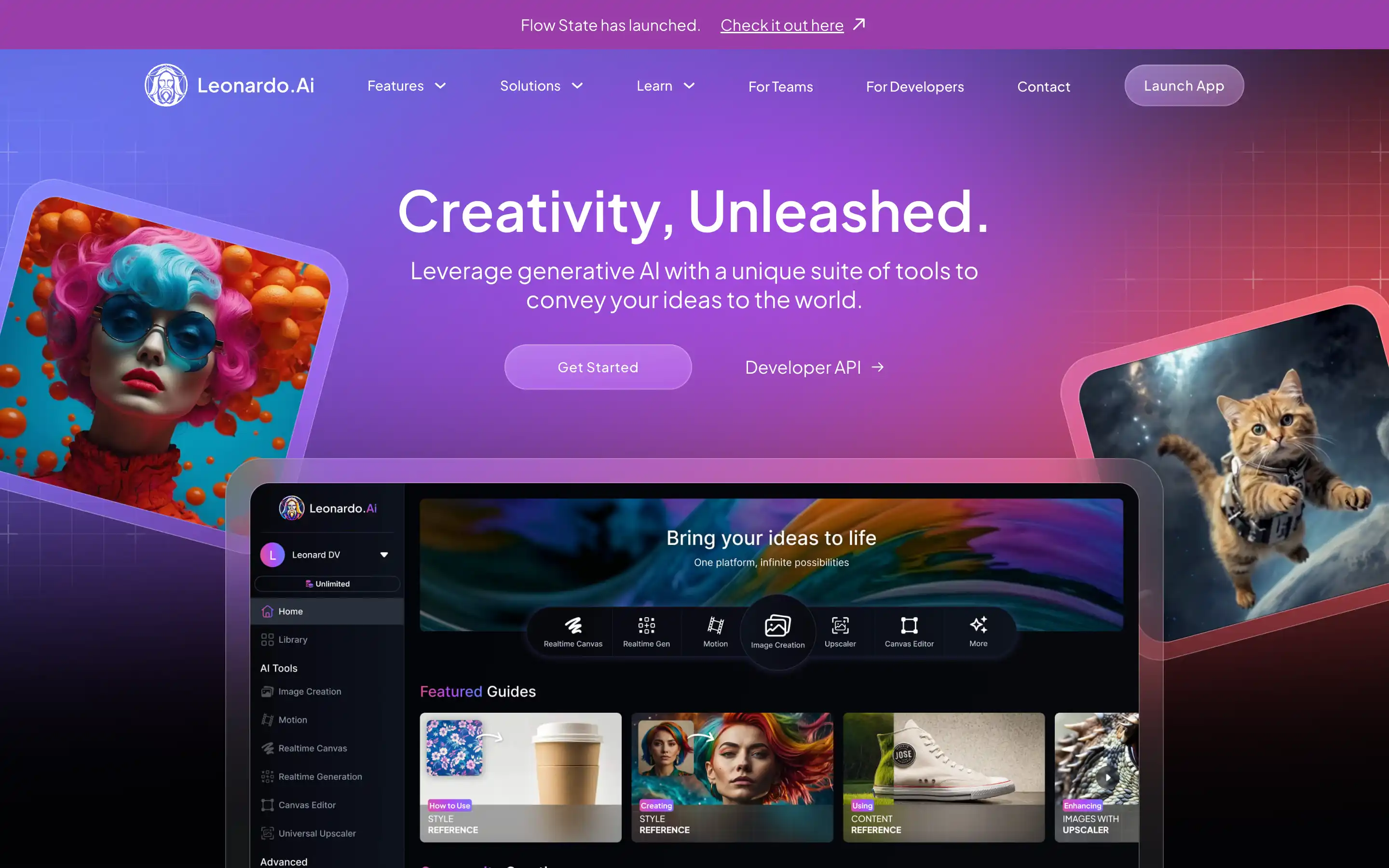
Leonardo AI interface overview
The interface is designed to be accessible without sacrificing depth. New users can generate images quickly, while advanced users can fine-tune every stage of the process.
Main interface sections typically include:
- Prompt input and negative prompt fields
- Model selection dropdown
- Generation settings panel
- Image history and variations
- Upscaling and refinement tools
Everything is organized to encourage experimentation while keeping results manageable.
Models available in Leonardo AI
Leonardo AI offers multiple proprietary and community-tuned models, each optimized for different use cases. Choosing the right model has a larger impact on results than many beginners realize.
Common model categories include:
- General illustration models for versatile art styles
- Concept art models focused on dramatic lighting and composition
- Texture and material models for seamless surfaces
- Character-focused models with better anatomy consistency
- Stylized models inspired by specific artistic aesthetics
Switching models with the same prompt can produce dramatically different results, making model selection a core creative decision.
Writing effective prompts for Leonardo AI
Prompt quality directly affects image quality. Leonardo AI responds well to structured, descriptive prompts that balance clarity with flexibility.
A strong prompt usually includes:
- Subject and main elements
- Artistic style or reference
- Lighting and color mood
- Level of detail or realism
- Camera or composition hints when relevant
For example, instead of writing “fantasy warrior,” a more effective prompt might describe armor materials, environment, lighting conditions, and artistic style.
Using negative prompts strategically
Negative prompts are used to prevent common issues such as distorted anatomy, blurry faces, or unwanted styles. Leonardo AI supports negative prompts as a first-class feature, not an afterthought.
Common negative prompt uses include:
- Removing extra limbs or malformed hands
- Avoiding text artifacts in images
- Excluding low-quality or cartoonish styles
- Preventing unwanted backgrounds or objects
Well-crafted negative prompts significantly improve consistency.
Image settings and parameters explained
Leonardo AI exposes several generation parameters that affect how images are created. Understanding these settings allows more precise control over outputs.
Important parameters include:
- Guidance scale: Higher values follow the prompt more strictly, lower values allow more creativity
- Steps: More steps increase detail but take longer
- Resolution: Higher resolutions improve clarity but consume more credits
- Seed: Fixing the seed allows reproducible results
Advanced users often reuse seeds to generate variations while maintaining composition.
Image variations and refinement
One of Leonardo AI’s strengths is its ability to generate controlled variations. Instead of starting from scratch, users can refine an existing image to explore alternatives.
Refinement options commonly include:
- Subtle style adjustments
- Pose or expression changes
- Color palette shifts
- Background modifications
This workflow is especially valuable for professional projects where consistency matters more than randomness.
Upscaling and post-processing tools
Leonardo AI includes built-in upscaling tools that enhance resolution while preserving detail. This eliminates the need for external software in many cases.
Upscaling features typically offer:
- Sharper edges and textures
- Improved facial detail
- Better material definition
- Cleaner line work
These tools are useful for preparing images for print, high-resolution displays, or professional presentations.
Using Leonardo AI for game assets and design
Leonardo AI has gained popularity in game development circles because of its focus on asset creation. It can produce characters, items, textures, and environment concepts that fit within a unified style.
Common game-related use cases include:
- Character concept sheets
- Weapon and item design
- Environment mood boards
- Seamless textures for 3D models
- UI and icon concepts
While AI-generated assets may still require manual refinement, Leonardo AI significantly speeds up ideation.
Licensing and usage considerations
Leonardo AI provides clear licensing terms for generated images, which is essential for commercial users. In most cases, images generated under paid plans can be used commercially, subject to the platform’s terms.
Users should always:
- Review the current license agreement
- Understand differences between free and paid plans
- Avoid generating copyrighted characters when planning commercial use
Clear licensing is one reason Leonardo AI is favored by professionals.
Strengths and limitations
Leonardo AI excels at controlled, repeatable image generation, but it is not without limitations.
Key strengths include:
- High visual consistency
- Flexible model selection
- Strong refinement and variation tools
- Professional-friendly workflows
Limitations to consider:
- Credit-based usage may limit heavy experimentation
- Results depend heavily on prompt quality
- Not optimized for photorealism compared to some specialized tools
Understanding these trade-offs helps users choose the right tool for each project.
Learning curve and best practices
Leonardo AI is approachable for beginners but rewards deeper learning. Users who invest time in understanding models, prompts, and parameters achieve significantly better results.
Best practices include:
- Saving successful prompts and settings
- Testing prompts across multiple models
- Using fixed seeds for consistency
- Building custom prompt templates for recurring tasks
Over time, this turns Leonardo AI into a reliable creative instrument rather than a novelty tool.
Where Leonardo AI fits in the AI art ecosystem
Leonardo AI occupies a middle ground between simple, one-click image generators and highly technical local setups. It is powerful enough for professional workflows while remaining accessible to non-technical users.
Rather than replacing traditional art or design tools, it functions best as a creative accelerator. It helps users explore ideas, iterate faster, and visualize concepts that would otherwise take hours or days to sketch manually.
For creators who value control, consistency, and clarity over randomness, Leonardo AI has become a defining platform in modern AI-assisted art creation.
