
Producing sharp, clean AI-generated images is not just a matter of using a powerful model. Image clarity depends on a chain of decisions, from prompt design and resolution settings to upscaling methods and post-processing workflows. Many users notice softness, blurred details, or unwanted artifacts even when using advanced AI image generators. Understanding why this happens and how to correct it is essential for anyone interested in AI art, illustration, or commercial visual content.

This guide walks step by step from beginner concepts to more advanced techniques, focusing on practical, evergreen methods that apply across most AI image tools.
What “sharp” and “clean” mean in AI images
Sharpness refers to how clearly edges, textures, and fine details are defined. Cleanliness describes the absence of unwanted noise, artifacts, smudging, or distorted features. In AI images, these two qualities are closely connected but not identical.
An image can appear sharp while still being messy, with strange textures or visual glitches. Conversely, an image can be clean but overly smooth, lacking crisp details. The goal is to balance both.
Key indicators of poor sharpness or cleanliness include:
- Soft or muddy edges around objects
- Over-smoothed skin or surfaces
- Repeating patterns or visual noise
- Distorted facial features, hands, or text
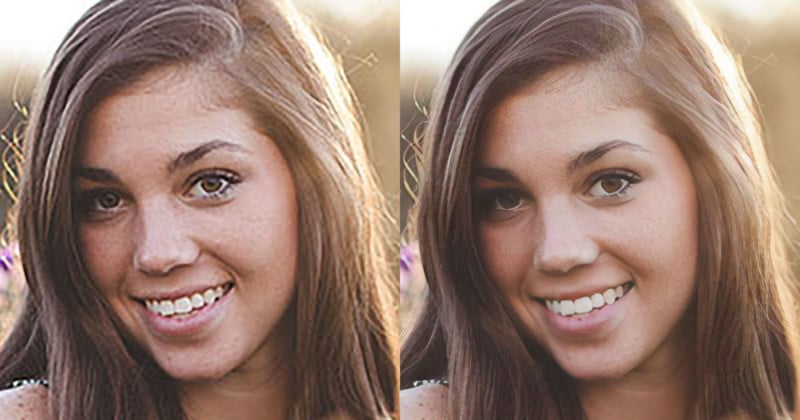
- Loss of detail after upscaling
Understanding the sources of these problems makes them easier to fix.
Start with the right resolution and aspect ratio
One of the most common causes of blurry AI images is starting at too low a resolution. While many generators can upscale images later, the base resolution still matters.
Generating images at very small sizes forces the model to invent detail during upscaling, which often leads to softness or artifacts. When possible, start at a moderately high resolution that matches your intended output.
General best practices include:
- Avoid extremely small base sizes unless experimenting
- Use aspect ratios that suit the subject, such as vertical for portraits or wide for landscapes
- Keep dimensions proportional to prevent stretching
A clean starting canvas gives the model more room to render detail naturally.
Write prompts that encourage detail, not chaos
Prompt quality has a direct impact on image sharpness. Vague prompts often produce generic, soft results, while overly complex prompts can confuse the model and introduce noise.
Clear, descriptive prompts help the AI focus on structure and texture rather than guessing.
Effective prompt techniques include:
- Describing materials and surfaces explicitly, such as “fine fabric texture” or “sharp metallic edges”
- Specifying lighting conditions like “soft studio lighting” or “high-contrast directional light”
- Avoiding long lists of unrelated styles or concepts in a single prompt
- Using consistent language for quality, such as “high detail,” “well-defined,” or “crisp focus”
Clarity in prompting reduces randomness and improves visual precision.
Use guidance and sampling settings wisely
Many AI image generators allow control over parameters such as guidance scale, steps, or sampling methods. These settings strongly affect image clarity.
Higher guidance values often push the image closer to the prompt but can introduce harsh edges or artifacts if overused. Too few sampling steps may result in incomplete details, while too many can exaggerate noise.
Balanced settings typically:
- Use enough steps to fully resolve details without overprocessing
- Avoid extreme guidance values that force unnatural sharpness
- Favor sampling methods known for stable, clean outputs
Adjusting these parameters gradually, rather than jumping to extremes, leads to more reliable improvements.
Control noise instead of eliminating it completely
Noise plays a complex role in AI image generation. Some noise is necessary to create texture and variation, but excessive noise reduces clarity.
Completely removing noise often results in plastic-looking images with lost detail. The goal is to manage noise, not erase it.
Practical approaches include:
- Using moderate denoising strength during generation
- Avoiding repeated aggressive denoising passes
- Preserving fine grain where it enhances realism
- Applying targeted noise reduction only where artifacts appear
Selective noise control keeps images sharp without flattening them.
Upscaling without destroying detail
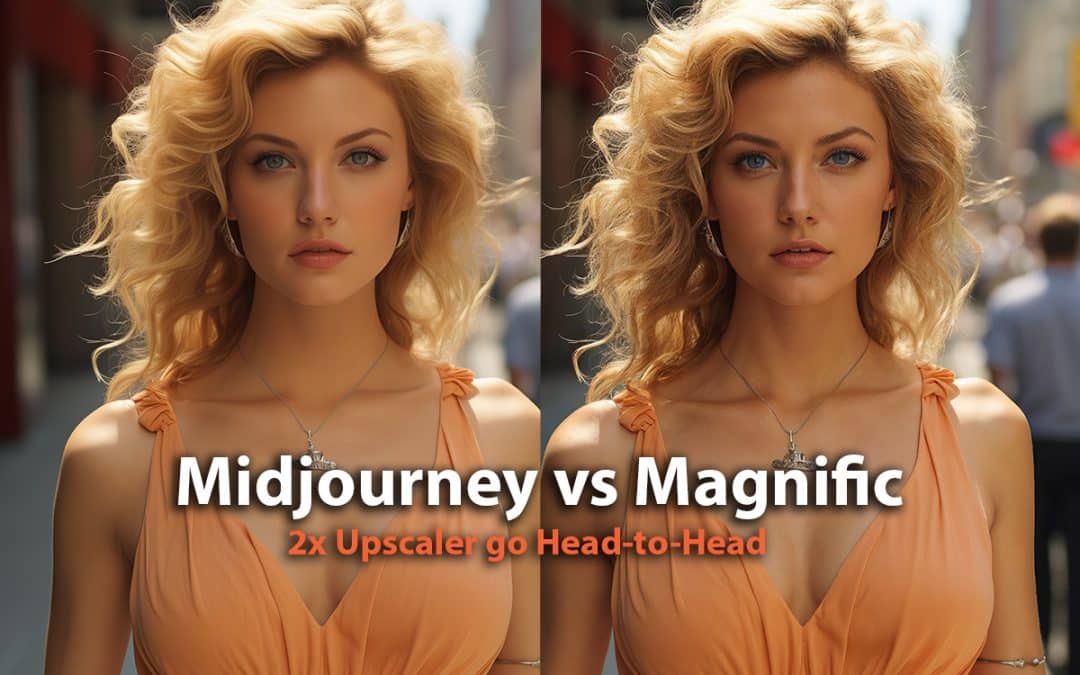
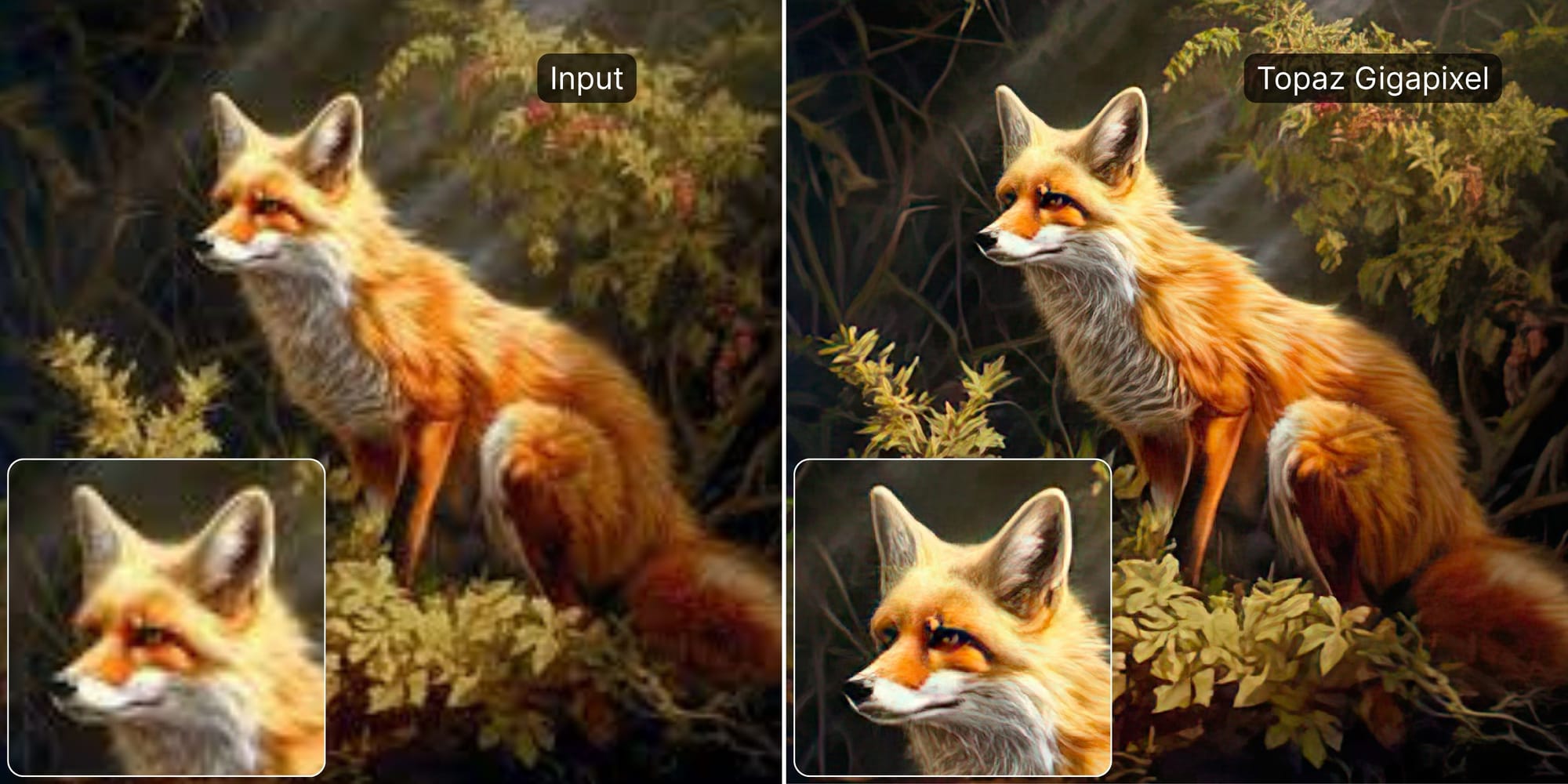
Upscaling is one of the most critical stages for achieving sharp AI images. Poor upscaling methods can blur edges or create halos and distortions.
Modern AI upscalers work best when used thoughtfully rather than aggressively.
To upscale cleanly:
- Increase size in stages instead of jumping to very large dimensions at once
- Avoid excessive sharpening during upscaling
- Use detail-preserving modes when available
- Compare results at different scales before finalizing
Upscaling should enhance existing detail, not invent unrealistic textures.
Refine images with light post-processing
Post-processing is often where sharpness and cleanliness truly come together. Even high-quality AI images benefit from subtle refinement.
Effective post-processing focuses on small, controlled adjustments rather than dramatic filters.
Common techniques include:
- Mild sharpening focused on edges, not flat areas
- Local contrast adjustments to enhance depth
- Selective cleanup of problem areas like eyes, hands, or text
- Gentle clarity enhancement instead of global sharpness boosts
The goal is to guide the viewer’s eye, not to make the image look artificially crisp.
Fix common AI artifacts systematically
Certain artifacts appear repeatedly in AI-generated images. Recognizing them makes correction easier.
Frequent issues include:
- Blurred or duplicated facial features
- Warped hands and fingers
- Inconsistent textures across similar surfaces
- Unnatural transitions between light and shadow
Address these problems by:
- Regenerating only the affected area when possible
- Adjusting prompts to emphasize anatomical correctness
- Lowering randomness settings slightly
- Using reference images for complex subjects
Systematic correction is more effective than repeated full regenerations.
Maintain consistency across multiple images
When producing a series of AI images, consistency becomes essential. Sharpness and cleanliness should be uniform, not vary from image to image.
Consistency improves perceived quality, especially for portfolios, websites, or commercial projects.
Helpful practices include:
- Reusing core prompts and settings
- Keeping resolution and aspect ratio constant
- Applying the same upscaling and post-processing workflow
- Reviewing images side by side for visual alignment
A consistent pipeline reduces quality fluctuations and saves time.
Think in workflows, not single images
Advanced users often achieve the cleanest results by treating AI image creation as a workflow rather than a one-click action.
A typical clarity-focused workflow may include:
- Careful prompt drafting
- Balanced generation settings
- Initial quality review
- Controlled upscaling
- Targeted post-processing
- Final consistency check
This approach transforms AI image generation from experimentation into a repeatable creative process.
Where sharpness becomes a stylistic choice
Absolute sharpness is not always the goal. Some artistic styles intentionally favor softness, painterly textures, or dreamlike blur. Cleanliness does not mean eliminating character.
Understanding how to make AI images sharper gives you control. Knowing when to stop sharpening gives you style.
As AI image tools continue to evolve, clarity will increasingly depend on user judgment rather than raw model power. Mastering these techniques ensures that sharpness and cleanliness become deliberate creative choices, not accidental outcomes.
